← All activities
02 Live possession, score, and stats
Basketball
Fast controls for the court. A scorekeeper can keep the game moving while everyone else sees the Board.Run a real pickup game with the clock, period, possession, team scoring, fouls, timeouts, and player stats close to the action.
How it plays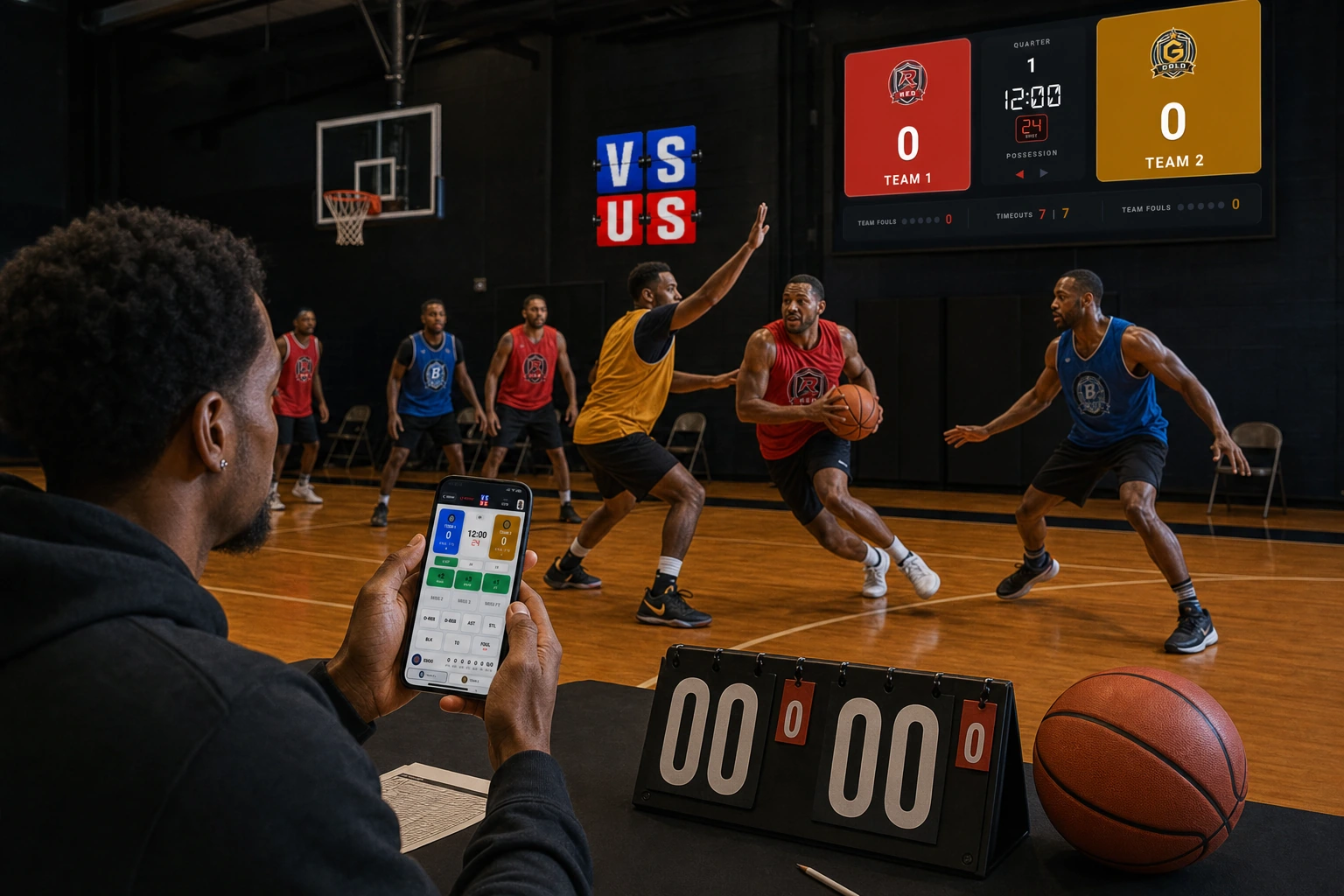
FLOW Start to final
The whole matchup stays in one place.
- 01
Choose the matchup
Open Basketball from the VS US Library and set up the players and game.
- 02
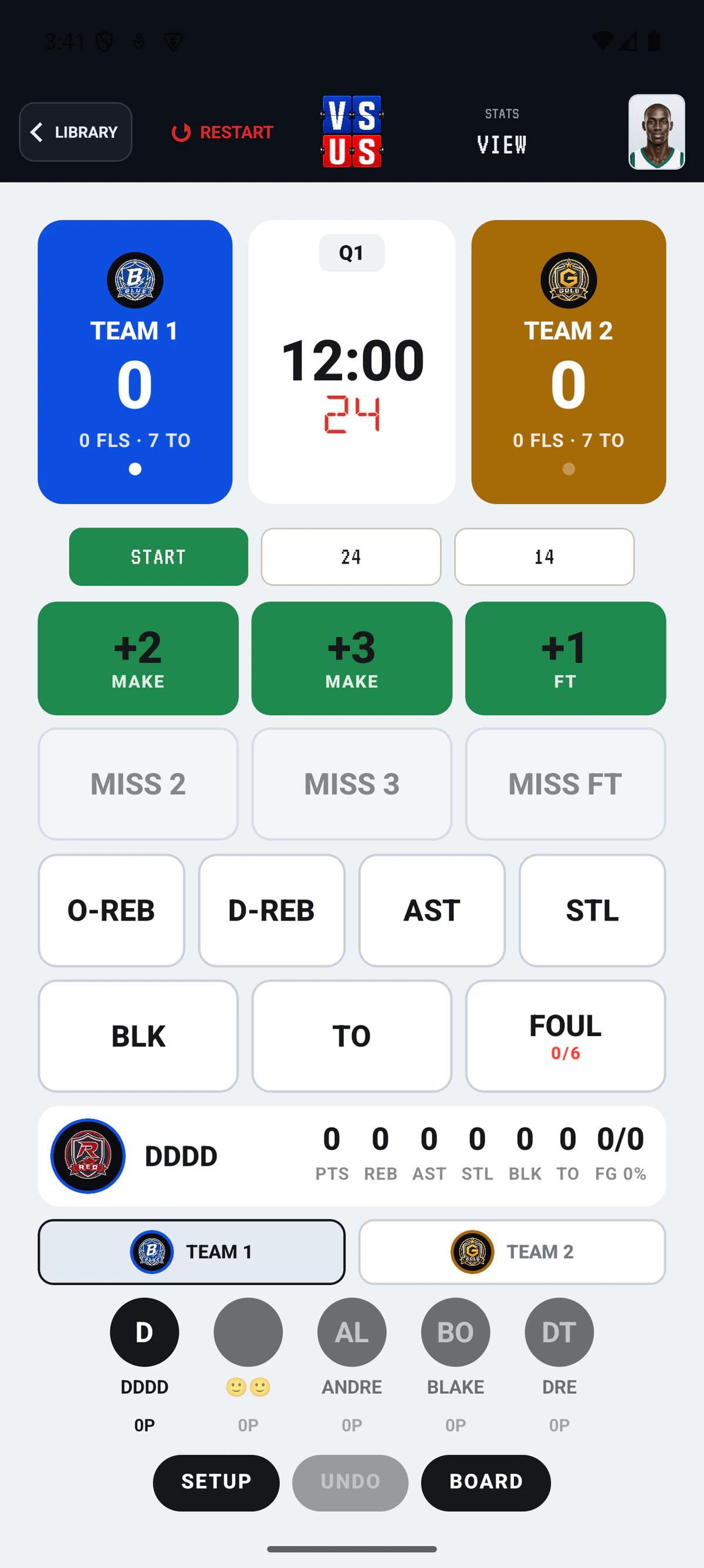
Score from the phone
Keep makes, misses, free throws, rebounds, fouls, and player stats within reach.
- 03
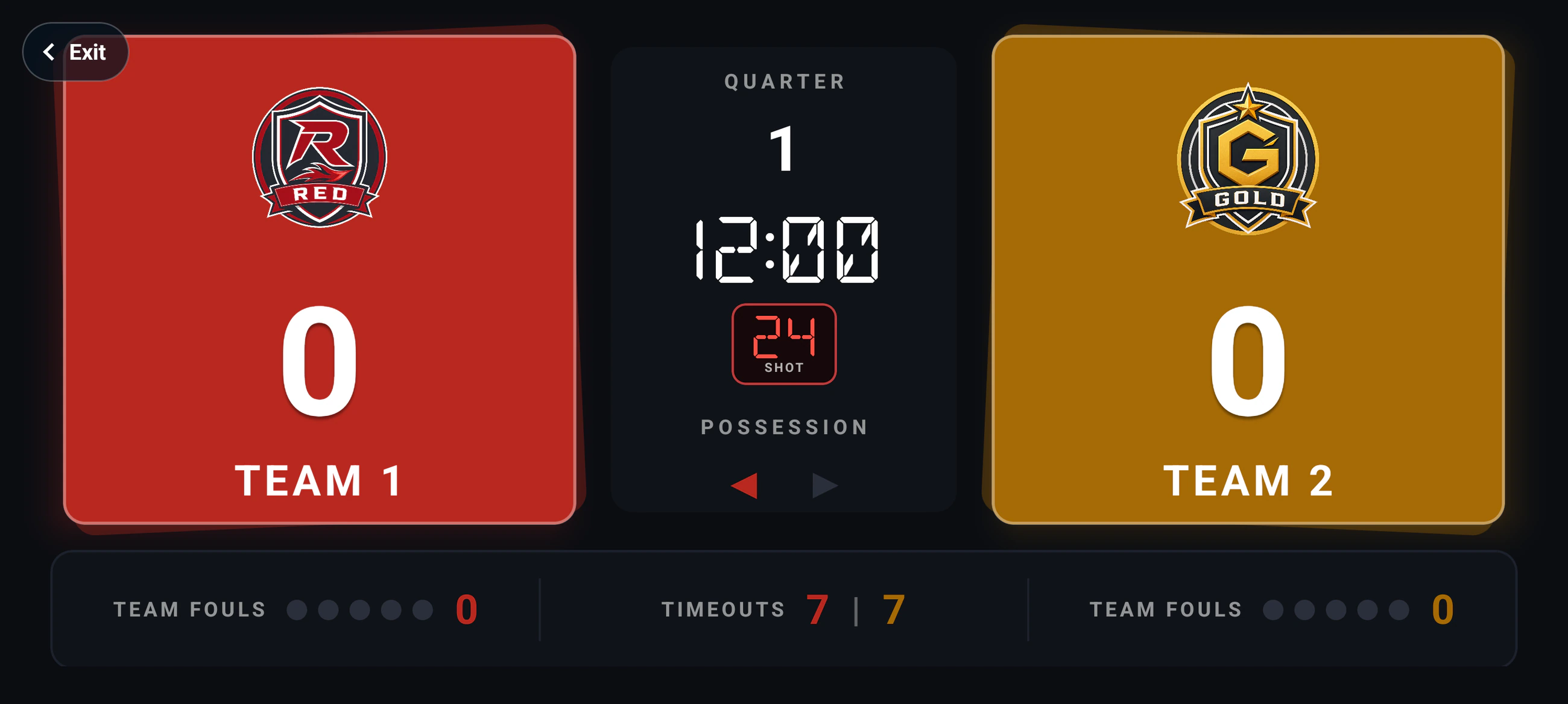
Show the Board
Use the room code in a browser so the score, clock, and game state can be seen across the room.
LIVE Shared display